Headline Optimizer
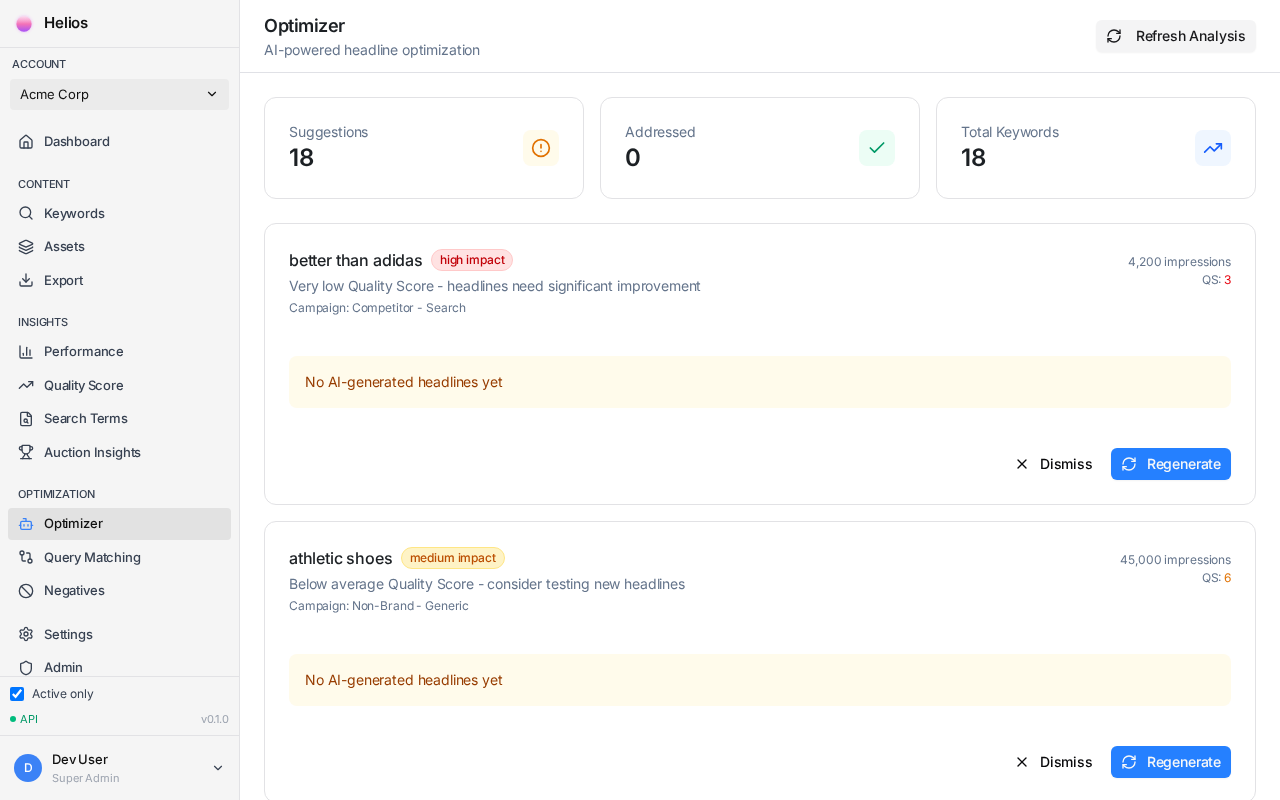
The Headline Optimizer monitors your headline performance and automatically identifies when keywords need refreshed content. It analyzes which messaging angles work best and suggests improvements.
How It Works
Section titled “How It Works”The Optimizer collects daily performance data from Google Ads and compares each headline’s CTR against the keyword average:
- Winners (CTR 10%+ above average): Keep these patterns
- Neutral (within normal range): No action needed
- Underperformers (CTR 10%+ below average): Suggest replacements
Optimization Statuses
Section titled “Optimization Statuses”Each keyword shows one of these statuses:
| Status | Meaning | Action |
|---|---|---|
| Too Young | Less than 3 days since push | Wait for data |
| Low Volume | Under 100 impressions, less than 14 days | Wait for more traffic |
| Optimizing | Has enough data for analysis | Review suggestions |
| Optimized | All headlines performing well | No action needed |
| Zombie | Under 100 impressions after 14 days | Needs radical refresh |
Reviewing Suggestions
Section titled “Reviewing Suggestions”- Go to the Optimizer page
- Filter to keywords with “Optimizing” status
- Review suggested headline replacements
- Click Accept to apply or Dismiss to skip
- Push changes to Google Ads
Zombie Keywords
Section titled “Zombie Keywords”Keywords that fail to gain traction after 2 weeks receive special treatment. The Optimizer suggests a “radical refresh”—completely different messaging angles:
- If rational messaging failed, try emotional
- If features failed, try outcomes
- Different urgency styles and hooks
- Pattern interrupts to catch attention
Winner Amplification
Section titled “Winner Amplification”When the Optimizer identifies winning headline patterns, it:
- Notes which messaging angles resonate
- Applies similar patterns to underperforming headlines
- Avoids angles that consistently underperform
Configuring the Optimizer
Section titled “Configuring the Optimizer”In Settings → Optimizer, you can adjust:
| Setting | Default | Description |
|---|---|---|
| Winner threshold | 10% | CTR above average to count as winner |
| Loser threshold | 10% | CTR below average to count as underperformer |
| Minimum impressions | 100 | Data required before optimization |
| Auto-suggest interval | 7 days | How often to analyze performance |
Best Practices
Section titled “Best Practices”- Don’t optimize too early — Wait for at least 100 impressions per keyword
- Review before accepting — The AI suggestions are good, but you know your brand best
- Track patterns — If certain angles consistently win, consider updating your brand profile
- Address zombies promptly — Low impression keywords may indicate targeting issues
Next Step
Section titled “Next Step”Check the FAQ for answers to common questions.